FeaturesRun the day

AI ASSISTANTBETA

Say it. Check it. Send it.

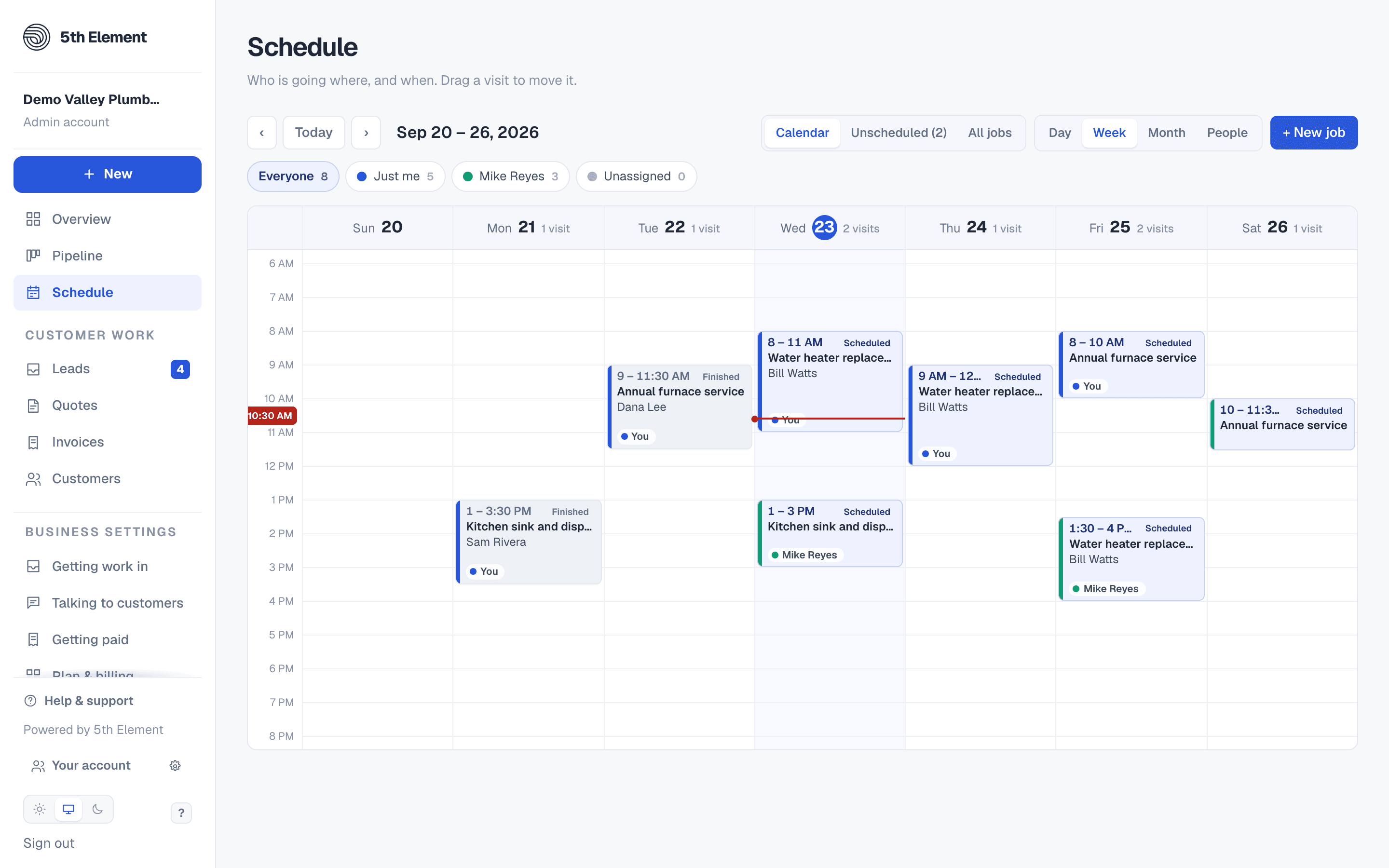
Talk or type to the dashboard and it does the admin: a quote drafted from what you said, priced from your saved list, an invoice for the job you just finished, a lead looked up or marked contacted, tomorrow's schedule read back. It proposes; you apply.

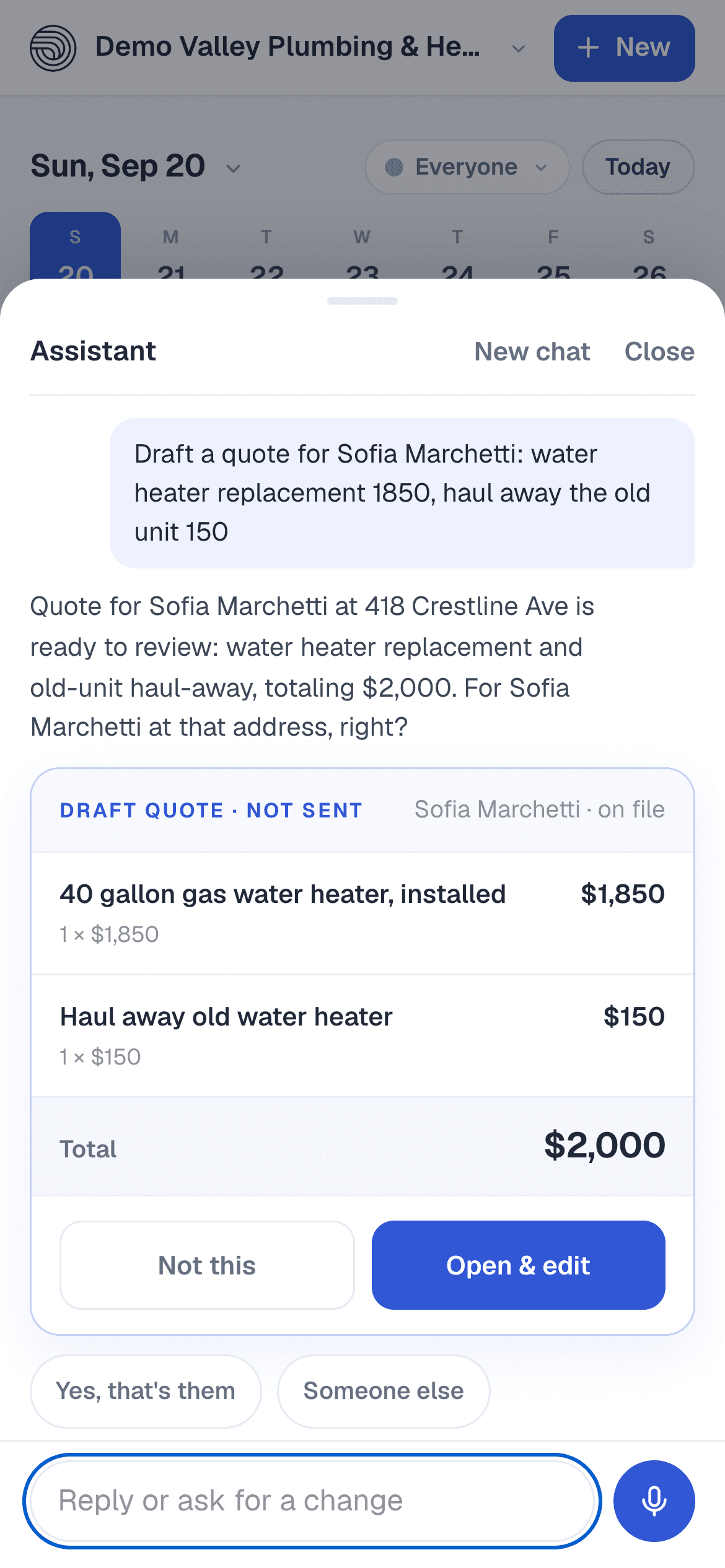
The Assistant on a phone: a request typed in plain words, and the draft quote it came back with, two lines and a total, with Open & edit.

A draft, not a decision

Ask for a quote and it comes back as a card: the lines it heard, the customer it found on file, the total. Nothing is saved or sent until you open it in the editor and press the same buttons you always would.

  • Drafts quotes, invoices, follow-ups and visits
  • Looks a lead up and marks it contacted
  • Every draft opens in the ordinary editor for you to check
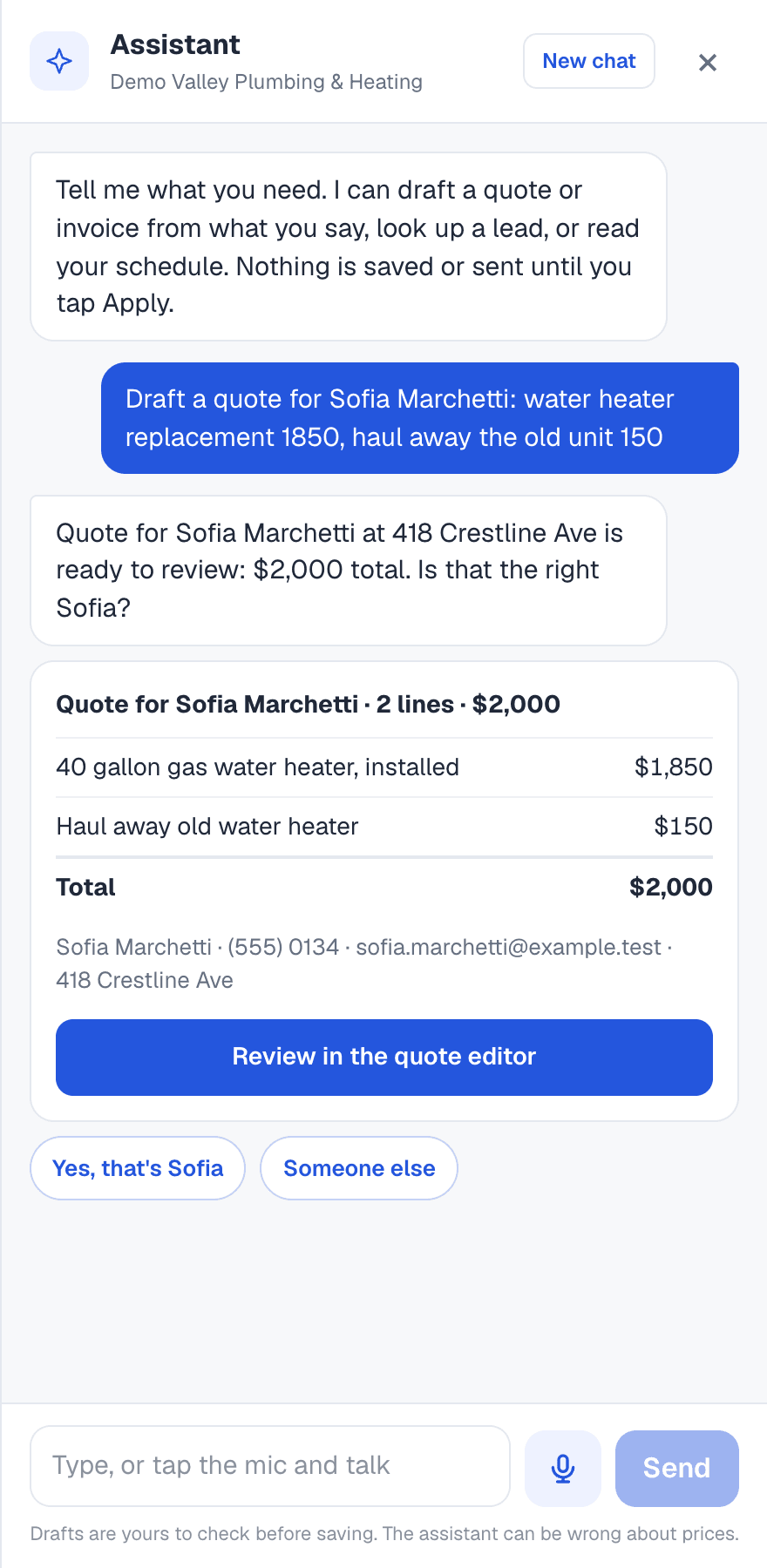
The Assistant drawer: a request for a quote typed in plain words, its reply, a draft with two lines priced and a total, a Review in the quote editor button, and Yes, that's them or Someone else to tap.

Priced from your list, never guessed

A spoken item is matched to the services you saved, and the saved price is used unless you said one. An item on neither is left at $0 for you to fill in. A named customer is matched to your records and confirmed in words before the draft opens on them.

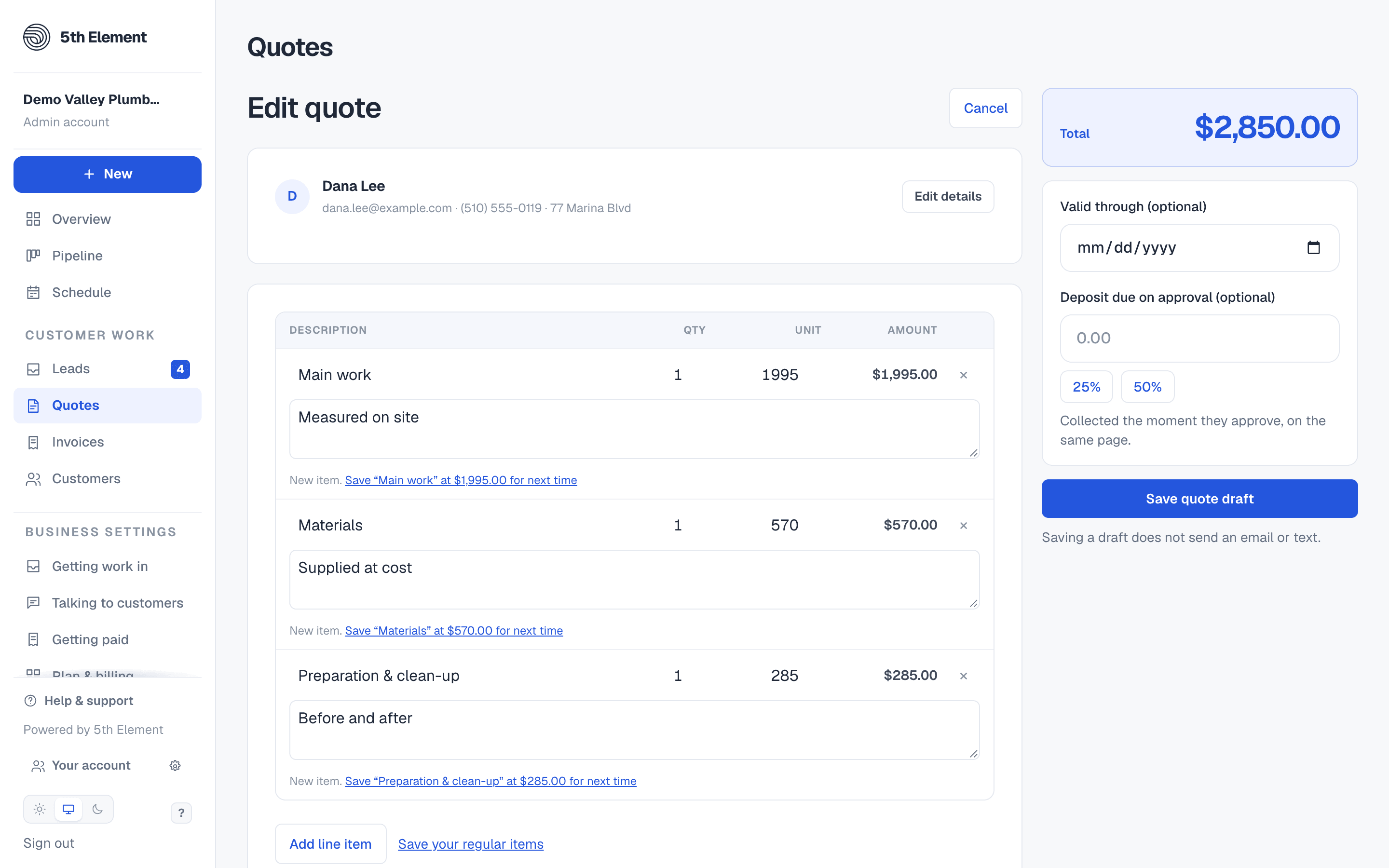
Editing a quote: a table of line items with quantity, unit price and amount, a running total, a valid-through date, a deposit due on approval, and the Save quote draft button.

Hold to talk, in the truck

On the phone, hold the button and say it. It stops listening when you stop talking, shows what it heard, and offers the answers to tap when it needs one more thing.

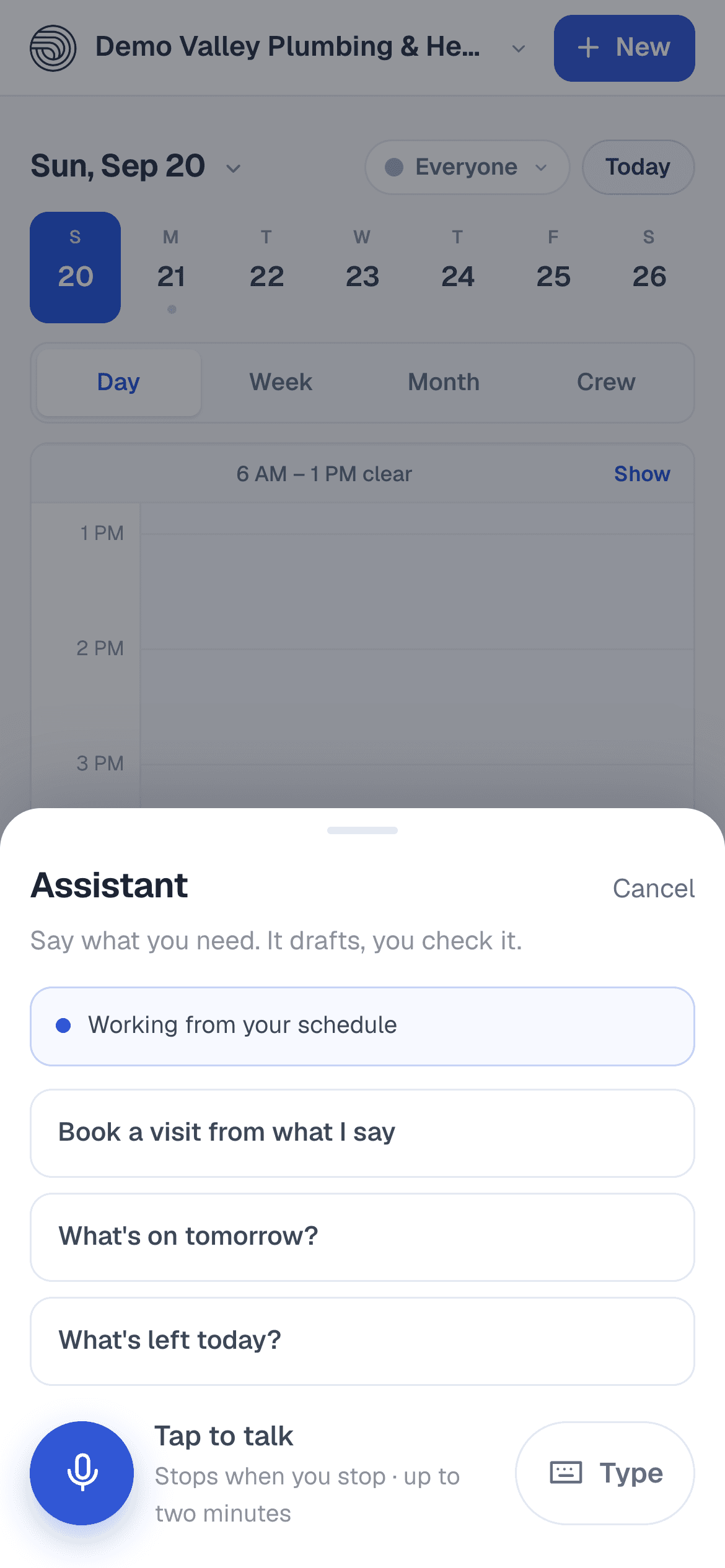
The Assistant sheet as it opens on a phone: Say what you need, three things to ask, and Tap to talk.

GOOD TO KNOW

Questions about AI assistant.

Can it send something without me?

No. It can read your leads, customers, price list, quotes, invoices and schedule, and it can propose. Applying a proposal goes through the same screens and the same permissions as doing it by hand.

Who can use it?

Anyone on the business, with what they are allowed to see. A technician can ask about their own visits; drafting quotes and invoices needs the quotes permission, as on the dashboard.

How do I get it?

It is in beta and switched on per business by our team. Ask us and we turn it on for you. Pricing is not set yet.

WORKS WITH

ONE PLAN. UNLIMITED USERS.

Try it with your own business name.

Start your free 14-day trial without a card. Pick a plan when you have seen it work.

Start your free 14-day trial