FeaturesGet paid

QUICKBOOKS ONLINEBETA

Your books, kept for you.

Connect your QuickBooks Online company and every customer, invoice and payment is written into it as it happens. A payment your bookkeeper records in QuickBooks shows on the invoice here. Nothing edited in QuickBooks ever overwrites what your customer saw.

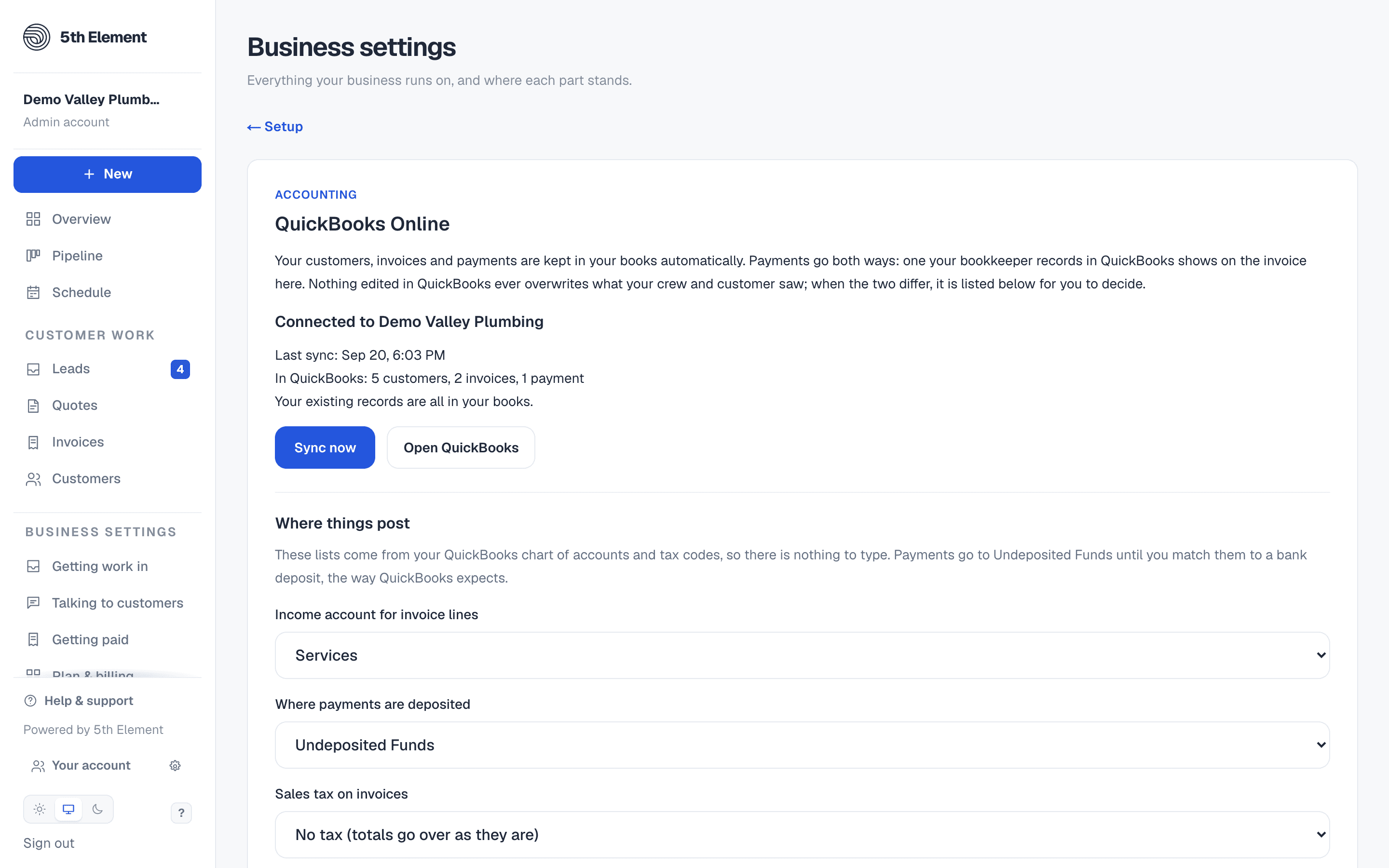
The QuickBooks Online card in Business settings, connected: the last sync, what is in QuickBooks, Sync now, and where invoice lines and payments post.
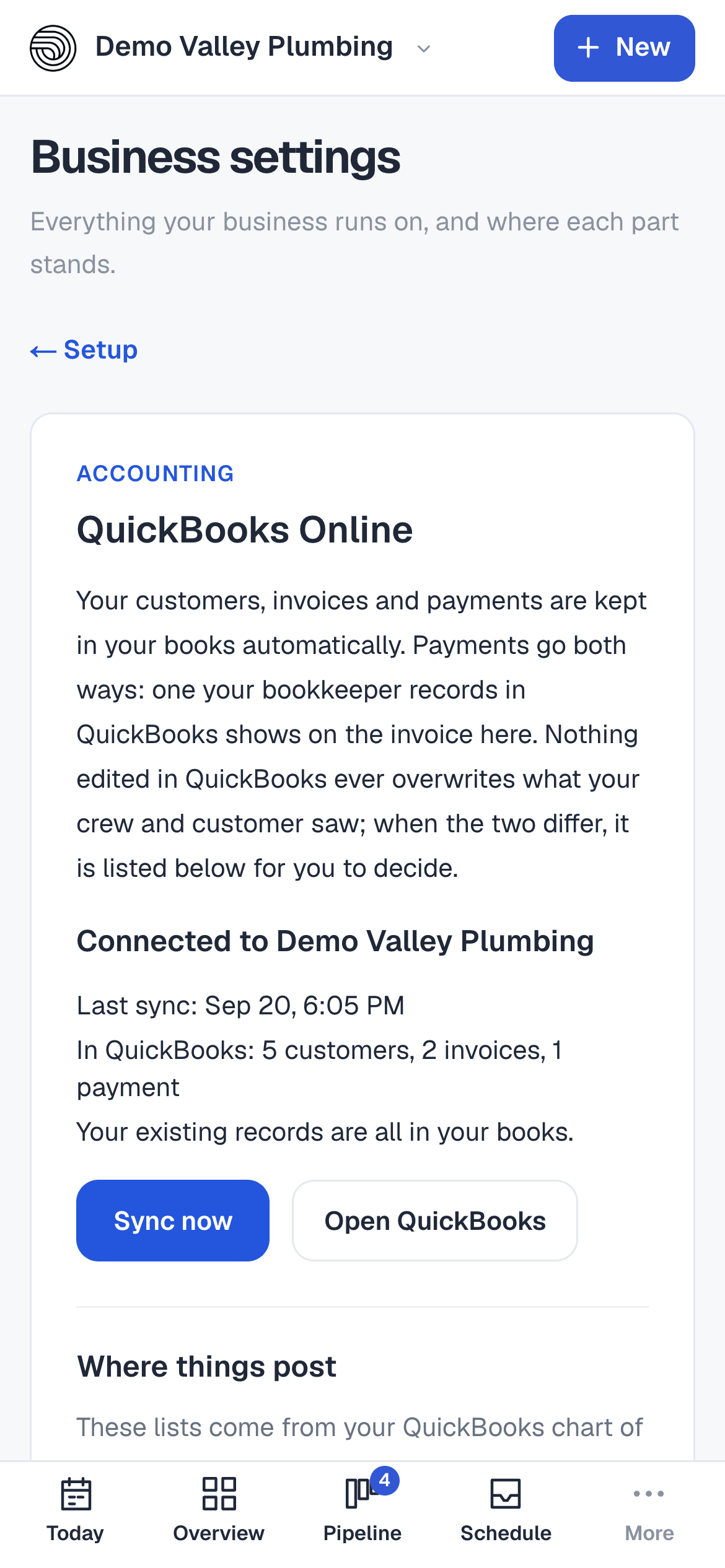
The QuickBooks Online card on a phone, connected.

Connected once, then left alone

Sign in to QuickBooks from Business settings and choose the income account invoice lines post to and where payments are deposited, from your own chart of accounts. Your existing customers, invoices and payments are added to your books first, oldest first, and a record already in QuickBooks is matched rather than duplicated.

  • Your chart of accounts and tax codes, imported
  • Existing history backfilled on connect
  • During the beta, our team connects it with you
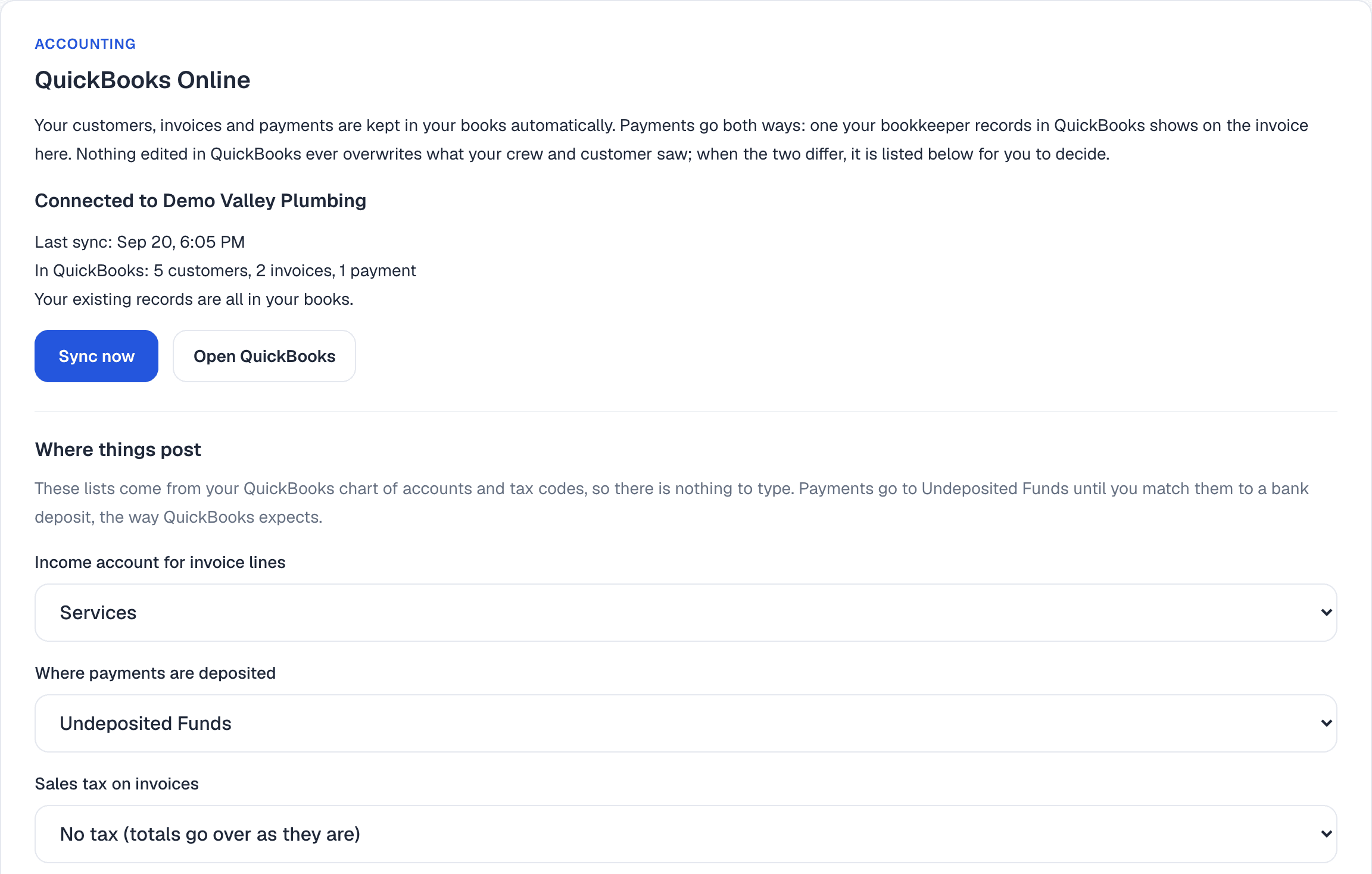
The QuickBooks Online card, connected: last sync, what is in QuickBooks, Sync now, Open QuickBooks, and the income and deposit accounts things post to.

Payments go both ways

A card, bank, cash, check, Venmo or Zelle payment recorded here is written to QuickBooks against its invoice. A payment entered in QuickBooks is recorded on the invoice here, once, and the balance is right on both sides.

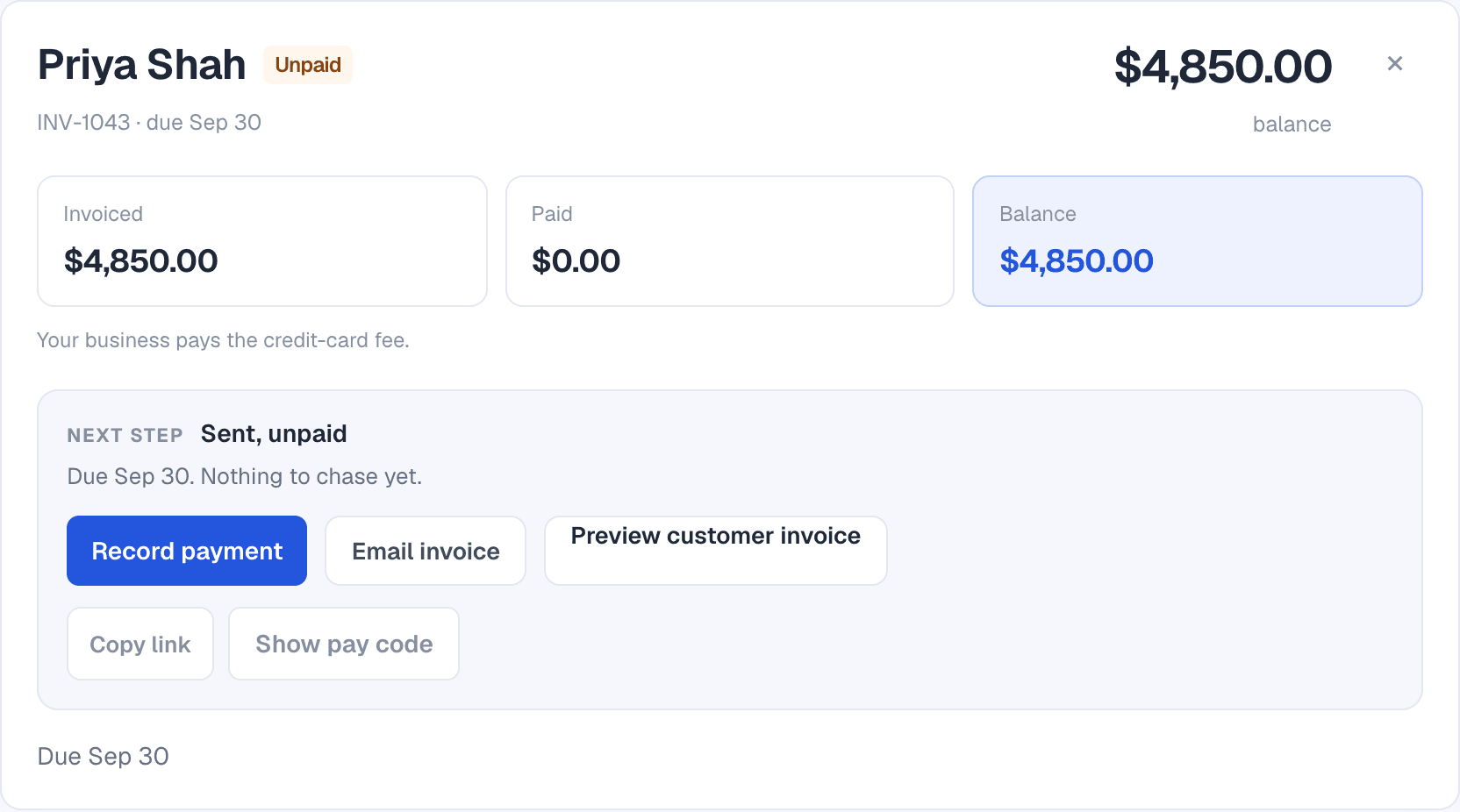
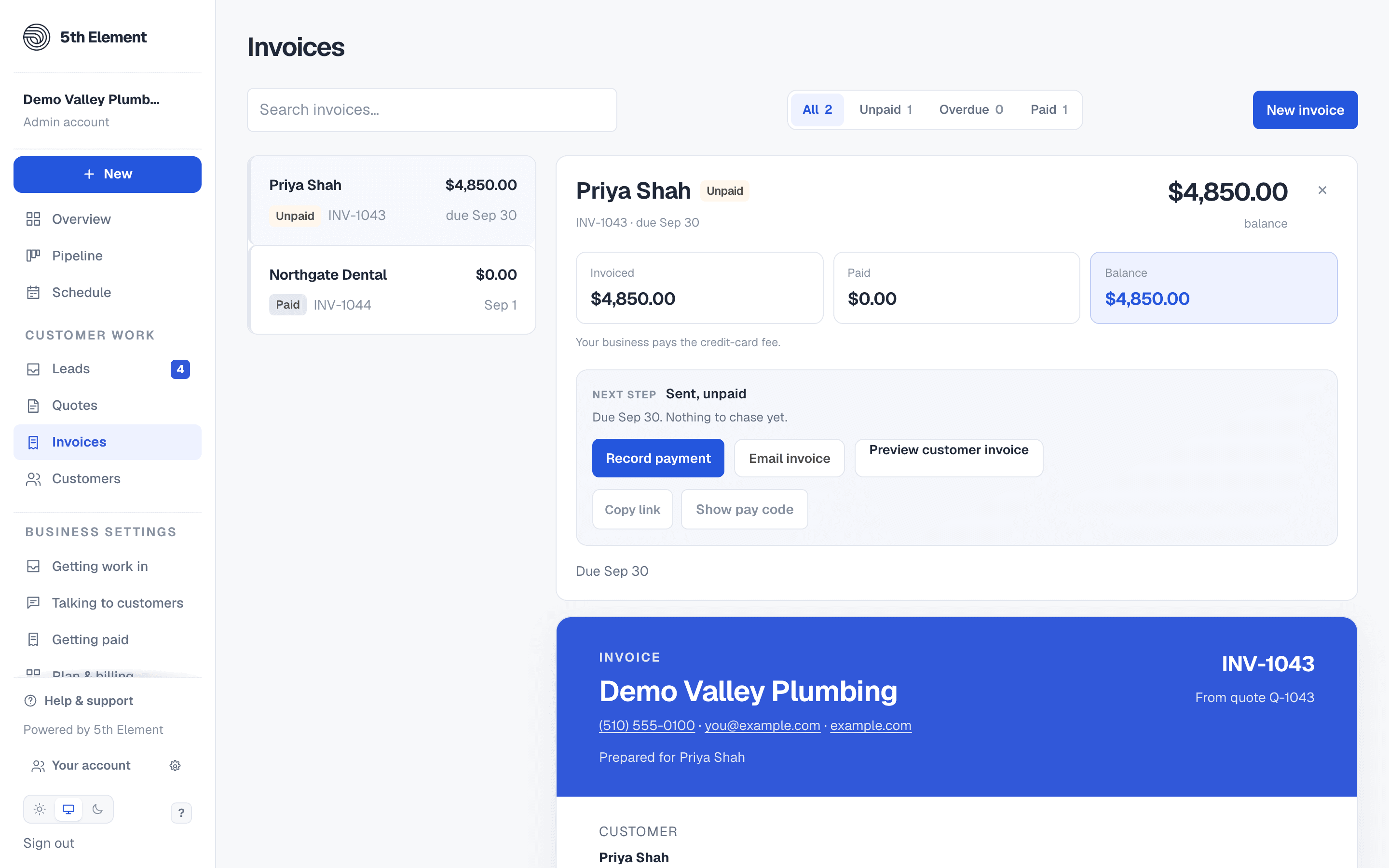
The top of an open invoice: invoiced, paid and balance, the next step, and Record payment, Email invoice, Preview customer invoice, Copy link and Show pay code.

Differences are shown, not decided for you

If a record was edited in QuickBooks since the last sync, it is listed in plain words with what differs, and neither side is changed. A payment deleted in QuickBooks is reported, not deleted here. The card keeps the last twenty things that happened.

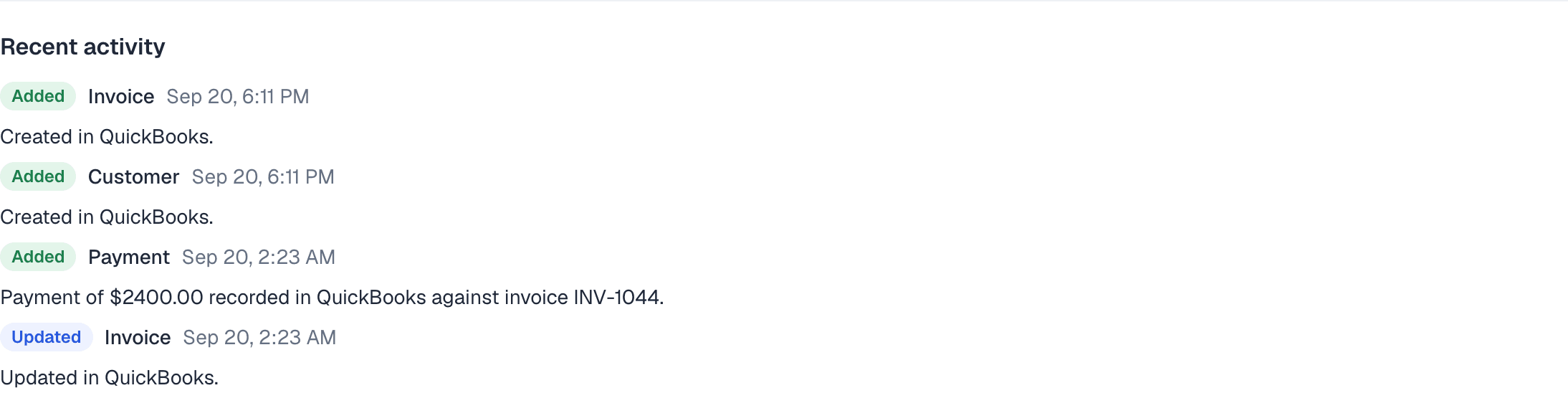
The QuickBooks card's recent activity: an invoice and a customer added, a payment recorded against an invoice, an invoice updated.

GOOD TO KNOW

Questions about QuickBooks Online.

Which QuickBooks does it work with?

QuickBooks Online. Each business connects its own company file; nothing is shared between businesses.

What if my bookkeeper changes an invoice in QuickBooks?

Nothing here changes. The invoice your customer saw is kept, the difference is listed on the QuickBooks card, and the record is only pushed again when it changes here. Payments are the one thing that come back.

How do I get it?

It is in beta. Ask us and our team connects your QuickBooks company with you. Pricing is not set yet, and nothing changes on your plan while it is in beta.

WORKS WITH

ONE PLAN. UNLIMITED USERS.

Try it with your own business name.

Start your free 14-day trial without a card. Pick a plan when you have seen it work.

Start your free 14-day trial